
ZArchiver
ZDevs
Jan 24, 2012
7.66 MB
1.0.10
Varies with device
100,000,000+

Description
Powerful Archive Management Made Simple on Android
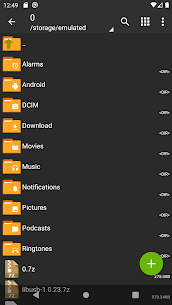
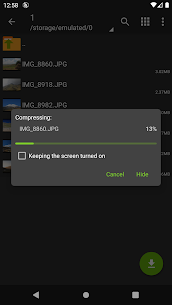
ZArchiver is a reliable and efficient archive management tool designed for Android users who want full control over compressed files. The app allows you to create, extract, edit, and manage archives directly on your device with ease. Thanks to its clean and practical interface, both beginners and advanced users can work with files comfortably without confusion.
One of the strongest advantages of ZArchiver is privacy. The app does not require internet access, which means your files remain on your device at all times. No data is sent to external services, making it a secure choice for handling personal or sensitive content. In addition, ZArchiver supports application backups stored inside archives, allowing you to manage and restore apps efficiently.
Wide Support for Archive Formats
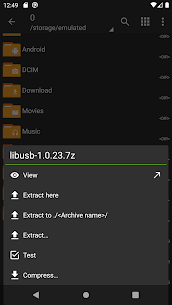
ZArchiver supports a large number of archive formats, making it a complete solution for file compression and extraction. You can create archives such as 7z, zip, tar, gzip, bzip2, XZ, lz4, zst, and more. At the same time, the app can extract and view many formats including rar, rar5, iso, cab, deb, rpm, dmg, img, wim, and several others. This wide compatibility ensures you can open almost any compressed file you encounter.
Advanced Features for Better Control
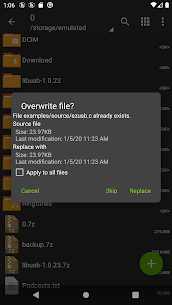
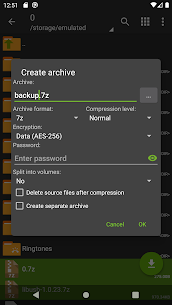
The app offers advanced options that give users more flexibility. You can create password protected archives, extract encrypted files, and edit existing archives by adding or removing files. ZArchiver also supports multi part archives and split files, allowing you to work with large compressed data easily. Partial extraction is available as well, so you can extract only the files you need.
Optimized Performance on Modern Devices
ZArchiver is optimized for modern Android versions. On newer devices, small archives can be opened directly without temporary extraction, which saves time and storage space. The app also supports multithreading, making it faster on devices with multiple processor cores. Additionally, full UTF support allows file names to display correctly in different languages.
Easy File Handling and App Installation
You can open compressed files directly, extract archives from email attachments, and install APK or OBB files from backups stored inside archives. These features make ZArchiver a practical tool for both file organization and app management.
Download ZArchiver today and enjoy a fast, secure, and powerful archive manager built for Android users.
What's new
Added SUI support
Faster file operations for smoother performance
Drag and drop files into or out of the app
Bug fixes and general improvements
New E-Ink theme for better readability
Images
Download links
Related apps


Most viewed apps


