
WhatsApp Messenger
WhatsApp LLC
Oct 18, 2010
129.16 MB
Varies with device
Varies with device
10,000,000,000+

Description
WhatsApp Messenger from Meta – Free Messaging & Secure Video Calls
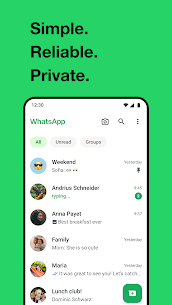
Stay connected with WhatsApp Messenger, a free, reliable, and secure messaging app used by billions worldwide. Send messages, make voice and video calls, and share files without worrying about privacy or subscription fees. WhatsApp works smoothly even on slow internet connections, keeping you connected with friends, family, and colleagues anytime.
Private & Encrypted Communication
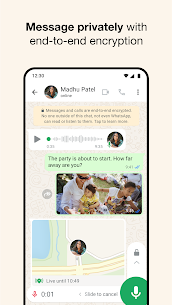
All messages and calls are protected with end-to-end encryption, meaning only you and your contacts can read or listen to them. WhatsApp cannot access your conversations, ensuring complete privacy. Share text messages, voice notes, photos, videos, and documents safely.
Simple Setup & Instant Connectivity
Sign up with just your phone number-no usernames or complicated logins required. Instantly see which contacts are using the app and start chatting, calling, or sharing files immediately. Works across mobile and desktop devices for seamless communication.
High-Quality Video & Voice Calls
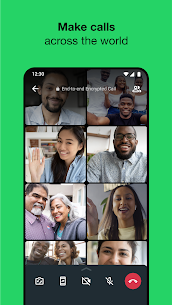
Enjoy clear voice and video calls for free, with up to 32 participants. Whether it’s one-on-one or a group call, WhatsApp provides smooth, reliable connections over your internet service.
Group Messaging & Media Sharing
Create encrypted groups to chat, share photos, videos, documents, and voice messages with friends, family, or colleagues. Stay connected and updated in real time, across multiple devices.
Status & Location Sharing
Share your moments using text, photos, videos, or GIFs that disappear after 24 hours. Control who can see your status and share your real-time location with trusted contacts whenever needed.
Use on Smartwatches & Wear OS
Reply to messages, continue conversations, and take calls directly from your smartwatch. Access chats quickly using smartwatch tiles and complications for convenience on the go.
WhatsApp Messenger combines secure messaging, reliable voice and video calls, and easy media sharing in one app. Stay connected, share life’s moments, and communicate privately with friends, family, and colleagues anytime, anywhere.
What's new
Schedule and view upcoming calls directly from the Calls tab. Tap the (+) icon, select “Schedule call,” and pick a contact or group to share the invite.
Group chats now feature a unified Calling icon, with enhanced options to organize calls and choose participants for audio or video calls.
Images


Download links
Related apps


Developer's apps

Most viewed apps


